For a close friend
Choose cake faceplant for a solo joke or add another portrait as the prank partner. Confetti works when you want a surprise instead of a staged cake mishap. Either setup can feel personal without a written roast.
Upload a portrait, add a friend if you like, and pick one of five setups. You get a 10-second vertical video with instrumental party music.
Upload only photos of yourself or people who agreed to appear. The scene is AI-generated comedy, not footage of a real event.
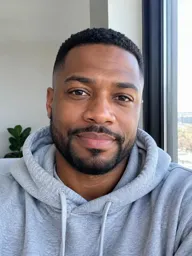
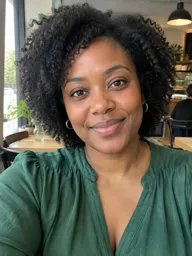 Finished video
Five party setups
Each example shows an action this page can generate from one or two portraits. Cake faceplant ends with frosting on the nose and cheeks; stubborn candles keep burning; confetti surprise and lights-on reveal add a sudden entrance; cake trophy turns a dessert into a victory moment. These are imagined scenes, not recordings of real people or parties. Every clip is 10 seconds, vertical 9:16, and includes instrumental music. Choose a setup for a solo mishap, a friend's entrance, or a shared laugh at the camera.
Create birthday prank clipScene 01
The birthday star leans too far and comes back up laughing.
One person sits behind a candlelit cake in a cozy kitchen. They lean in to blow out the candles, go a little too far, and land face-first in the frosting. They rise with cream on their nose and cheeks, wipe their eyes clear, and laugh toward the camera. The action stays focused on one face, so this setup works with the required portrait alone. It gives the clip a clear beginning, mishap, and reaction.
Scene 02
A second person sets off the surprise while the birthday star reacts.
The birthday star poses in a party hat while a friend slips into view and pops a confetti cannon. The hat falls over the star's eyes, then gets pushed back into place as both people laugh side by side. This two-person setup makes the joke easy to follow: one person starts the surprise, and the other gets the confetti. Choose it when the friend's entrance is part of the punchline.
Scene 03
The birthday star blows twice, then gives up laughing.
A person sits behind a plain white cake beneath warm party lights. They blow at the candles, watch the flames flicker without going out, puff their cheeks, and try once more. The candles stay lit, so the person throws up their hands and laughs. The simple sequence makes the candles the punchline instead of adding a second character. It suits someone who enjoys a gentle joke built around a familiar birthday ritual.
Scene 04
The birthday star and a friend blow together and lose the contest.
Two people sit shoulder to shoulder behind a white cake with lit candles. The birthday star tries first; then both people puff their cheeks and blow at the flames together. The candles remain lit, and the pair collapse into laughter facing the camera. Choose this version when a friend wants to join the birthday star in the failed candle challenge. Both portraits take part in the same scene.
Scene 05
The light comes on, the room changes, and the birthday star jumps.
A person enters a dark living room and switches on the light. Balloons and confetti fill the room, prompting a startled jump onto the sofa. The surprise quickly turns into laughter directed at the camera. With one portrait, the action centers on the birthday star's reaction rather than a friend stepping into frame. This version keeps the reveal and reaction with the same person.
Scene 06
The second person reveals the party with a horn and a burst of laughter.
The room begins dark as the birthday star walks in and turns on the light. A friend pops up from behind the sofa with a party horn while balloons and confetti appear. The star jumps, grabs a cushion, and then laughs beside the friend. This two-photo version keeps the person causing the surprise in the final shot. It suits a pair who want to share the camera time and the laugh at the end.
Pick the recipient
Choose cake faceplant for a solo joke or add another portrait as the prank partner. Confetti works when you want a surprise instead of a staged cake mishap. Either setup can feel personal without a written roast.
Use the lights-on reveal with two portraits if you want to appear from behind the sofa. For a simpler clip, let your partner take the solo role and react to the unexpected party.
Stubborn candles keep the humor gentle and easy to understand. Use one portrait for a solo attempt, or add another so you can both blow at the candles and laugh when they stay lit.
Cake trophy gives a coworker a playful award moment. It works as a visual greeting for a team chat, with a paper crown, a trophy shaped like a cake, and a bow that sends the crown falling.
A two-person cake scene can turn sibling teasing into a shared joke. The birthday star gets frosting on the face, then wipes their eyes clear so both people can finish laughing toward the camera.
The candle scene offers a low-key way to tease someone about another year. Choose a clear portrait and let the repeated failed attempt carry the joke.
Photo checklist
MiniMax H3 uses the uploaded portraits as visual references for the birthday scene.
How the gag lands
A birthday prank clip works best when viewers can follow one setup and one reaction. The five choices keep that sequence simple: cake creates a faceplant, candles repeat a failed attempt, confetti arrives from the side, a dark room changes into a party, or a cake trophy turns the birthday star into a champion. Upload one portrait when that person should carry the whole moment. Add a second portrait when a friend needs to cause the surprise or share the final laugh. You do not write a prompt; choose a scene and let the tool stage it.
Solo choices keep the birthday star at the center of the action. Cake, candles, confetti, and the party reveal each give one person a reaction to play.
A second portrait lets a friend trigger the confetti or appear in the surprise scene. The two-person candle and cake setups also end with both faces visible together.
What the tool includes
01
Start with the birthday person's portrait. Add another person only if you want a second role in the scene.
02
Choose cake, candles, confetti, a lights-on reveal, or a cake trophy. Each option sets the whole scene, so you never write a prompt.
03
The result is a 10-second 9:16 MP4 at 768p, with no watermark added to the clip.
04
The video includes instrumental music, with no spoken lines or singing. Turn audio off before you generate, or mute it later.
Choose your setup
Use one portrait for a solo mishap and two when another person needs a role in the joke.
Pick cake, candles, the lights-on reveal, or cake trophy when the birthday person should be the only visible participant.
Add a second portrait for a friend who pops a confetti cannon, waits behind the sofa, or joins the candle attempt.
Choose the candles for a gentle, repeatable gag. Choose cake or the surprise reveal for a bigger physical reaction.
Video details
| Topic | Detail |
|---|---|
| Upload | One required portrait of the birthday star, with an optional second portrait for a friend or partner. |
| Photos per upload | One person per photo. Crop a group image before uploading. |
| Scenes | Cake faceplant, stubborn candles, confetti surprise, lights-on reveal, and cake trophy. |
| Length | Every result is 10 seconds. This page has no alternate duration. |
| Aspect ratio | Vertical 9:16, designed for TikTok, Reels, Shorts, and status posts. |
| File | A 768p MP4 with no watermark. |
| Audio | Yes. Instrumental party music is included. Turn audio off before you generate, or mute it later. |
| Text | Names and captions can be added after downloading with a video editor or social app. |
| Processing time | Around a minute. Keep this page open while the video is processing. |
| Cost | One video costs {credits} credits. The cheapest monthly plan is {price} for {planCredits} credits. See <a class="link link-primary" href="/pricing">plans and credit options</a>. |
| Model | MiniMax H3 generates the video from the uploaded portrait or portraits. |
The examples describe generated scenes and are not recordings of real birthday parties.
Create birthday prank clip01
Upload one clear, front-facing photo of the birthday person. Add a second individual portrait if a friend needs to appear.
02
Select one of the five setups, from cake trouble to a lights-on reveal. Select Create birthday prank clip and keep the page open for about a minute.
03
Download the 10-second vertical MP4. Add a name, caption, or alternate song in TikTok, Instagram, or another video editor.
One balance for every AI zombie video you make. Pick a monthly plan by how many clips you want, or buy a one-time pack with no subscription.
Save 30% billed annually
Flexible monthly subscription.
The cheapest way to start. Every model, a small monthly budget.
$12.99/mo
Renews monthly, cancel anytime.
400 credits
≈ 6 AI zombie trend videos
3.25¢ / credit
A few zombie love story clips a month for you and your friends.
$29.9/mo
Renews monthly, cancel anytime.
1,000 credits
≈ 16 AI zombie trend videos
2.99¢ / credit
2 parallel tasks
Steady output for a creator account riding the trend.
$49.9/mo
Renews monthly, cancel anytime.
2,000 credits
≈ 33 AI zombie trend videos
2.50¢ / credit
3 parallel tasks
High volume for pages and agencies posting every day.
$89.9/mo
Renews monthly, cancel anytime.
5,000 credits
≈ 83 AI zombie trend videos
1.80¢ / credit
5 parallel tasks
Pay yearly and save more.
A few zombie love story clips a month for you and your friends.
$19.9/mo$29.9
Billed yearly at $238.8. Renews yearly, cancel anytime.
Save $120/yr vs monthly
12,000 credits
≈ 200 AI zombie trend videos
1.99¢ / credit
2 parallel tasks
Steady output for a creator account riding the trend.
$34.9/mo$49.9
Billed yearly at $418.8. Renews yearly, cancel anytime.
Save $180/yr vs monthly
24,000 credits
≈ 400 AI zombie trend videos
1.75¢ / credit
3 parallel tasks
High volume for pages and agencies posting every day.
$62.9/mo$89.9
Billed yearly at $754.8. Renews yearly, cancel anytime.
Save $324/yr vs monthly
60,000 credits
≈ 1000 AI zombie trend videos
1.26¢ / credit
5 parallel tasks
Top up credits valid for 12 months.
One-time top-up — perfect for occasional needs.
$49.9
One-time purchase, valid 12 months.
1,000 credits
≈ 16 AI zombie trend videos
4.99¢ / credit
Larger top-up with 20% bonus — best per-credit value for one-time buyers.
$198
One-time purchase, valid 12 months.
4,800 credits
≈ 80 AI zombie trend videos
4.13¢ / credit
5 parallel tasks
Check the photo setup, format, audio, and credit cost before you start.
Create birthday prank clipUpload a clear photo of the birthday person and choose one of the five scenes. Add another portrait if a friend should trigger the joke or join the ending. MiniMax H3 turns the selected setup into a 10-second vertical MP4 with instrumental party music. Add a name or caption after downloading.
One video costs {credits} credits. The cheapest monthly plan is {price} for {planCredits} credits. That balance covers ten videos at this scene's credit cost. You need to sign in to generate a video, and the page does not offer a different per-video credit setting. See plans and credit options.
Yes. The first portrait is required, while the second is optional. With one photo, the birthday person can face the candles, get caught by the cake gag, or react to the room reveal alone. Add a second individual portrait when you want a friend or partner to join.
The uploaded portrait guides the generated face, hair, and clothing, but the result is an AI-created scene rather than recorded footage. Small visual details can vary. A sharp, well-lit photo facing the camera gives the model a clearer reference than a distant, shadowed, or obstructed image.
The tool produces a 10-second vertical 9:16 MP4 at 768p without a watermark. That shape fits common short-video posts such as TikTok, Instagram Reels, and YouTube Shorts. This page does not provide a horizontal format or a different clip length.
The clip includes instrumental party music, but it does not generate spoken lines, singing, or lip-syncing. Turn audio off before you generate, or mute or replace it after downloading the MP4 in a social app or video editor.
No. The generator does not add a custom name, caption, or birthday message to the video. Download the MP4 and place text over it with your preferred editor or social app. This lets you choose the exact spelling and wording yourself.
Use another person's portrait only when they have agreed to appear in an AI-generated joke. Each uploaded photo should show one person with a visible face; pet photos are not supported by this scene. If someone would dislike a slapstick birthday moment, choose another photo or make a solo version instead.
When a system error prevents the video from completing, the credits used for that attempt are returned to your balance automatically. A new attempt creates a fresh result and uses the same number of credits. To reduce avoidable photo problems, start with a clear portrait that faces the camera and does not hide the person's features.
Not on this page. It is designed for physical comedy such as frosting mishaps, stubborn candles, and party surprises. Choose a scene here when a light visual joke suits the birthday person.
You can use a portrait in other ZombieAI scenes with different setups and visual tones. The zombie love story page builds a relationship scene, while hotel lobby AI uses a separate trend format. Check each page's upload and output details before choosing.
Browse ZombieAI's other scene pages for different visual jokes, dance formats, and transformations. Compare each page's setup, photo needs, and output before picking a style for the person receiving your greeting. A good joke suits that person's sense of humor. Visit the ZombieAI homepage to see the featured AI video trend and explore available scenes.
More from ZombieAI
in the Birthday Gag
Choose a scene, add one or two portraits, and save a short party clip for the group chat.
Create birthday prank clip{credits} credits · 10 seconds · one or two photos
Put Their Face
Create birthday prank clip