Your Romantic Partner
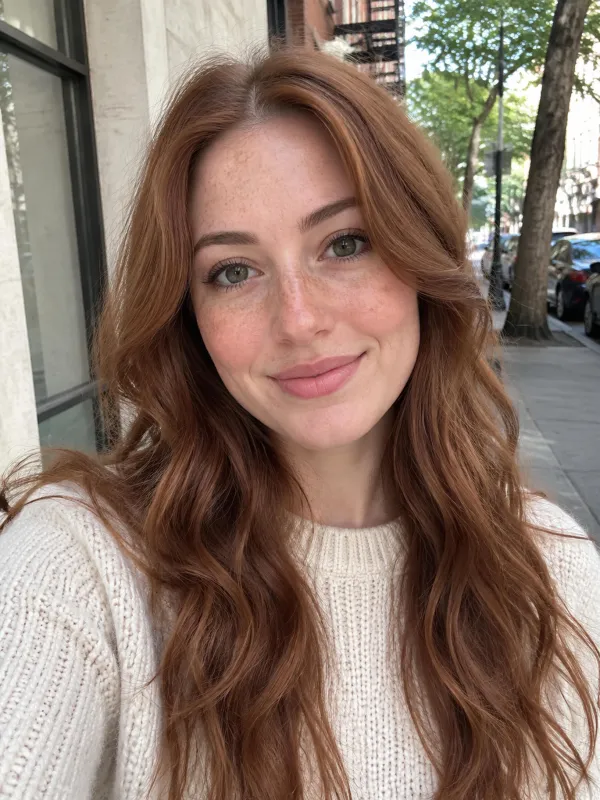
Upload your partner into Photo 1 and yourself into Photo 2 to create an ai zombie couple video that joins the ai zombie trend with a sunny beach memory.
Turn ordinary photos into the emotional ai zombie trend clip taking over social feeds. This one-page tool makes your personal ai zombie video without complex editing apps or prompts.
Only upload photos of people who agree to it.

 Your video
Watch The Story
The ai zombie trend shows that deep love survives the end of the world. A lone survivor raises a weapon in fear, recognizes someone dear, drops the gun, and accepts an embrace before the frame cuts to a golden memory. Every sample video on this page was made directly on this website using artificial portraits of fictional characters and animals with zero post-processing. You upload your snapshot, pick your loved one, and let the model animate the entire sequence. Nothing needs to be trimmed, aligned, or edited by hand. It gives you a complete, ready-to-share social video in one simple run.
Try the AI Zombie TrendStory Showcase 01
Two lovers meet during the outbreak where she walks forward as an infected soul and he raises a firearm. He lowers his defense in shock, catches her in a protective hold, and at eight seconds the scene jumps into a sunlit ocean shore where both laugh together in the waves. It captures the heartbreak that made this ai zombie trend go everywhere online.
Story Showcase 02
By uploading only one picture, the camera becomes your direct view in the ai zombie trend while your hands tremble on a weapon. You drop the handgun and open your arms wide to your friend, cutting straight into a sunlit city park memory on a warm afternoon.
Story Showcase 03
The survivor aims down a dim hallway, pauses in hesitation, and drops her weapon as her infected dog leaps up for a hug. The clip cuts to a green backyard lawn, turning your pet's photo into an emotional ai zombie trend memory.
Story Showcase 04
An orange cat emerges from shadows with cloudy eyes in this ai zombie trend clip while your hands place the weapon flat on the floor. The feline reaches toward your fingers, triggering a sudden cut to a bright outdoor lawn where the same cat runs into your palms.
Story Showcase 05
A mother lifts her handgun in the dark, only to find the infected boy is her own child. She lowers the barrel and hugs him tight, joining the viral ai zombie trend before the scene shifts into a sunny birthday kitchen.
Story Showcase 06
A survivor holds a defense weapon as his oldest friend staggers forward. Unable to pull the trigger, he pulls him into the signature ai zombie trend shoulder embrace, which cuts to an afternoon park where both laugh together.
Story Variations
Upload your partner into Photo 1 and yourself into Photo 2 to create an ai zombie couple video that joins the ai zombie trend with a sunny beach memory.
Put a parent or sibling into Photo 1 and yourself into Photo 2 to make your own ai zombie trend story that cuts to a kitchen birthday party with cake.
Add your companion into Photo 1 to bring your friendship into the ai zombie trend, ending on a sunny city park lawn filled with golden afternoon sunlight.
Place your dog in Photo 1 and yourself in Photo 2 to start your ai zombie trend clip, watching your pet leap into your arms before landing on a green lawn.
Upload your cat into Photo 1 and skip Photo 2 for an ai zombie trend clip through your own eyes, ending with a playful grass memory.
If you do not have a portrait of yourself, upload a single face into Photo 1. The ai zombie trend video then plays through your eyes with survivor hands in frame.
Some creators honor late friends or pets with this tool. Because the narrative contains a raised weapon, make sure the dramatic tone feels completely comfortable before generating.
Image Guidelines
Behind the Phenomenon
01
Viewers look up this style under many names including the ai zombie love story, the zombie hug video, the zombie wife clip, or the in every lifetime video. Regardless of the phrase used, they all point directly back to the signature ai zombie trend narrative.
02
Most horror clips rely on shock and gore, but the ai zombie trend centers on affection that survives an infection. Seeing a partner or faithful dog still recognize you through the transformation touches a tender nerve for viewers.
03
Some creators caption their clips with a line like "In every lifetime, I would still hold you." It reflects the idea that true affection does not dissolve during tragedy, turning a simple clip into a heartfelt declaration of loyalty.
04
The ai zombie trend surged on 27 September 2026 before peaking across Google Trends in early October 2026. Feeds on TikTok and Instagram were suddenly filled with people turning camera roll memories into apocalyptic farewells.
05
Unlike a camera filter or makeup preset, this ai zombie trend tool produces a scripted narrative. It animates two distinct lighting environments, moving bodies, defensive weapons, and a clean match-cut embrace.
06
While beloved worldwide, Google Trends data reveals that search interest for the ai zombie trend relative to local volume has been highest throughout the Middle East and Southeast Asia, showing how universally this love story resonates across cultures.
The Cinematic Narrative
Every ai zombie trend video follows an unbroken emotional arc built from six essential narrative beats that need no script.
Silence fills a shadowy ruined corridor. Footsteps drag across concrete as a solitary figure appears through the dust, moving slowly toward the survivor.
Survival instinct takes over as a trembling hand raises a defensive pistol. The barrel points forward into the gloomy corridor, ready for the worst.
Tension peaks as the light catches a familiar face. Fingers loosen on the weapon grip, panic fades into heartbreak, and the barrel points down to the ground.
The infected loved one steps forward not to attack, but to rest their head against your shoulder in an emotional embrace that defies the end of time.
The cold grey gloom vanishes in a flash. The exact embrace carries across space and time, shifting straight into golden light without missing a frame.
You stand together in pure sunlight, whether on an ocean beach, a summer park, or a sunny kitchen, smiling and holding each other in happier times.
Engine Specifications
01
Produce a standard 10-second ai zombie trend clip for 40 credits, or unlock the extended 15-second cut for 60 credits if you are a subscriber.
02
Every render exports as an MP4 at 768p resolution inside a vertical 9:16 aspect ratio, ready to post on TikTok feeds or Instagram Reels.
03
Forget typing text prompts or cutting clips on a timeline. The ai zombie video generator has the complete pacing, staging, and transition built directly inside its engine.
04
Every ai zombie trend video comes with built-in audio that cannot be muted during export. If you want a specific song, simply swap the sound inside TikTok or Instagram before posting.
The Honest Choice
Decide whether you want an automated story or prefer building every motion frame entirely from scratch.
We give you the ai zombie trend in one go without editing software. The trade-offs are fixed: a built-in gun scene, 768p resolution, built-in music that cannot be turned off, and fixed memory locations.
The manual route lets you pick custom music, higher resolution, or remove the weapon. But building it yourself requires writing prompts, rendering two separate clips, and hand-cutting the transition at the hug.
This site focuses on a single narrative format. We deliver a vertical, watermark-free video ready to download and share.
Detailed Breakdown
| Question | Platform Details |
|---|---|
| Does this produce the viral zombie love story clip? | Yes, this website is tailored specifically to generate the viral ai zombie trend video from your uploaded snapshots. |
| How many pictures do I need to get started? | You only need 1 picture of the infected loved one. Adding your own photo is completely optional for a two-character scene. |
| Which characters can become infected in the scene? | You can choose a partner, family relative, best friend, or pet dog or cat to take part in the ai zombie trend. |
| Do I need prompts or CapCut for the ai zombie trend? | No, there is zero prompt crafting or external timeline editing required because the entire narrative pacing is automated. |
| What video duration options can I choose? | All accounts can make a 10-second clip, while 15-second extended clips are unlocked exclusively for subscribers. |
| What are the dimensions and display resolution? | Each render exports as a vertical 9:16 file formatted at 768p, matching standard mobile social story dimensions. |
| Can I pick custom audio or turn off the sound? | The sound cannot be turned off inside the generator, but you can mute or swap it within TikTok or Instagram when posting. |
| What does one ai zombie trend video cost? | A 10-second video costs 40 credits, while a 15-second subscriber video costs 60 credits. |
| Do signup credits cover my first render? | New accounts get 20 credits, which is not enough for one video, so plans start at $7.99 a month for 200 credits. |
| How long will I wait for the render to finish? | Rendering takes a few minutes, so you will want to keep your browser tab open while our processing pipeline finishes. |
| Which underlying AI model produces the animation? | The underlying model is MiniMax H3. |
| Will my finished video have a watermark stamped on it? | No, all downloaded MP4 files are completely clean with no logos or watermarks added to the visual frame. |
| What happens if the generation fails on your end? | If a generation fails because of a system error, credits are refunded automatically to your balance. |
| Can I take out the handgun scene if I dislike it? | No, the confrontation and lowered gun beat are fixed parts of this storytelling engine and cannot be removed. |
You can build the ai zombie trend manually by prompting video models like Kling, Veo, or Dreamina inside tools like CapCut or Google Flow, but you must align camera angles, prompt two styles, and edit the match-cut hug by hand. Our one-page tool automates the entire flow in one run.
Try the AI Zombie Trend01
Upload a clear, front-facing image of the individual or pet who will turn into an infected figure during the apocalypse.
02
Provide an image of yourself to appear in the hug, or leave Photo 2 blank to view the entire scene through your own eyes.
03
Select who turns, choose 10 or 15 seconds, start the ai zombie trend generator, and keep the page open a few minutes while it renders.
04
Save the clean MP4 to your phone, add your favorite caption, and post your ai zombie trend clip directly to TikTok or Instagram.
One balance for every AI zombie video you make. Pick a plan by how many clips you want, nothing else changes between plans.
Save 30% billed annually
Flexible monthly subscription.
The lowest price to get started. Every model, a monthly budget to try things out.
$7.99/mo
Renews monthly, cancel anytime.
200 credits
≈ 0–10 videos, depending on the model
≈ 14–66 images, depending on the model
4.00¢ / credit
The cheapest way to start. Every model, a small monthly budget.
$12.99/mo
Renews monthly, cancel anytime.
400 credits
≈ 1–20 videos, depending on the model
≈ 28–133 images, depending on the model
3.25¢ / credit
A few zombie love story clips a month for you and your friends.
$29.9/mo
Renews monthly, cancel anytime.
1,000 credits
≈ 3–50 videos, depending on the model
≈ 71–333 images, depending on the model
2.99¢ / credit
2 parallel tasks
Steady output for a creator account riding the trend.
$49.9/mo
Renews monthly, cancel anytime.
2,000 credits
≈ 6–100 videos, depending on the model
≈ 142–666 images, depending on the model
2.50¢ / credit
3 parallel tasks
High volume for pages and agencies posting every day.
$89.9/mo
Renews monthly, cancel anytime.
5,000 credits
≈ 15–250 videos, depending on the model
≈ 357–1666 images, depending on the model
1.80¢ / credit
5 parallel tasks
Pay yearly and save more.
A few zombie love story clips a month for you and your friends.
$19.9/mo$29.9
Billed yearly at $238.8. Renews yearly, cancel anytime.
Save $120/yr vs monthly
12,000 credits
≈ 38–600 videos, depending on the model
≈ 857–4000 images, depending on the model
1.99¢ / credit
2 parallel tasks
Steady output for a creator account riding the trend.
$34.9/mo$49.9
Billed yearly at $418.8. Renews yearly, cancel anytime.
Save $180/yr vs monthly
24,000 credits
≈ 76–1200 videos, depending on the model
≈ 1714–8000 images, depending on the model
1.75¢ / credit
3 parallel tasks
High volume for pages and agencies posting every day.
$62.9/mo$89.9
Billed yearly at $754.8. Renews yearly, cancel anytime.
Save $324/yr vs monthly
60,000 credits
≈ 190–3000 videos, depending on the model
≈ 4285–20000 images, depending on the model
1.26¢ / credit
5 parallel tasks
Top up credits valid for 12 months.
One-time top-up — perfect for occasional needs.
$49.9
One-time purchase, valid 12 months.
1,000 credits
≈ 3–50 videos, depending on the model
≈ 71–333 images, depending on the model
4.99¢ / credit
Larger top-up with 20% bonus — best per-credit value for one-time buyers.
$198
One-time purchase, valid 12 months.
4,800 credits
≈ 15–240 videos, depending on the model
≈ 342–1600 images, depending on the model
4.13¢ / credit
5 parallel tasks
Everything you need to know about joining the ai zombie trend online.
Try the AI Zombie TrendNew accounts get 20 credits, which is not enough for one video, so the honest answer is no. If you want to make an ai zombie trend video, a 10-second cut is 40 credits and a 15-second cut is 60 credits. Plans start at $7.99 a month for 200 credits, which gives you five standard videos.
You only need one photo to join the ai zombie trend. Upload your snapshot into Photo 1 and leave Photo 2 blank; the clip will play from a first-person view showing only your hands as you lower the weapon and open your arms.
Yes, pets can be the zombie in your clip. Select the pet option, provide a clear front-facing photo of your dog or cat, and the system will stage a hug that transitions directly onto a sunny green lawn.
You do not need an app or an editing tool on your phone. This ai zombie video generator runs inside your mobile browser and creates your ai zombie trend video as an MP4 you can save to your camera roll.
Our generator exports with built-in soundtrack audio that cannot be turned off during the rendering phase. If you wish to use a specific trending social sound, you can mute our track or overlay new audio inside TikTok or Instagram before posting.
You must only upload photos of individuals who have given you direct consent to use their likeness. Never upload photos of strangers, famous celebrities, or other people's children without explicit permission.
Rendering your ai zombie trend video takes a few minutes from start to finish. Please keep the page open in your browser while the system generates your clip.
Creators refer to this format as the ai zombie love story, the zombie hug clip, the zombie girlfriend video, or the in every lifetime trend. All of these titles describe the exact same heartfelt survival storyline.
This is not an augmented reality camera filter or static makeup preset. It is a generative video system powered by MiniMax H3 that builds a two-scene cinematic story with moving characters and lighting transitions.
The ai zombie trend took off on 27 September 2026 and peaked in early October 2026 on Google Trends. Because many people joined across social platforms at the same time, there is no single verified original creator.
Popular captions include phrases like In every lifetime, I would still look for you or I would never pull the trigger. Add hashtags like #AIZombieTrend, #ZombieLoveStory, and #ZombieHug so other users searching the community can find your clip.
Yes, experienced editors can stitch similar clips together using generators like Kling, Veo, or Dreamina combined with editors like CapCut or Google Flow. However, doing so requires manual prompt engineering, character matching, and tedious transition trimming that our tool handles automatically.
The standoff with the weapon is an unchangeable element of this built-in narrative arc. If you are uncomfortable with dramatic action themes, this specific storytelling generator may not be the right choice for you.
Some people join the ai zombie trend to honor a friend or pet who passed away. Keep in mind the clip includes a standoff with a firearm, so think about whether that feels comfortable before using your credits.
TikTok and Instagram both offer an AI-generated content label, so switch it on when you post. The clip is fully AI-made.
Faces will look slightly different from photo to photo in the ai zombie trend, and results vary from image to image. Trying again for a different look uses credits, so start with a clear, direct portrait in soft daylight.
Every finished MP4 file downloads completely clean without watermarks or overlay logos. If an unforeseen system error interrupts your generation, your spent credits are refunded automatically to your balance.
It is a dramatic narrative video where apocalyptic survival gives way to deep personal affection. A survivor recognizes an infected partner, drops their defense, and shares a hug that cuts into a sunlit memory.
This website serves as a dedicated generator built specifically to animate couple portraits into that viral cinematic sequence. Simply provide two clear portraits and our tool arranges the entire romantic apocalypse reunion automatically.
Turn your photos into the unforgettable story that everyone is sharing on TikTok and Instagram right now.
Create Your AI Zombie Trend VideoFROM 40 CREDITS • NO PROMPTS NEEDED
Ready to Join the
Try the AI Zombie Trend