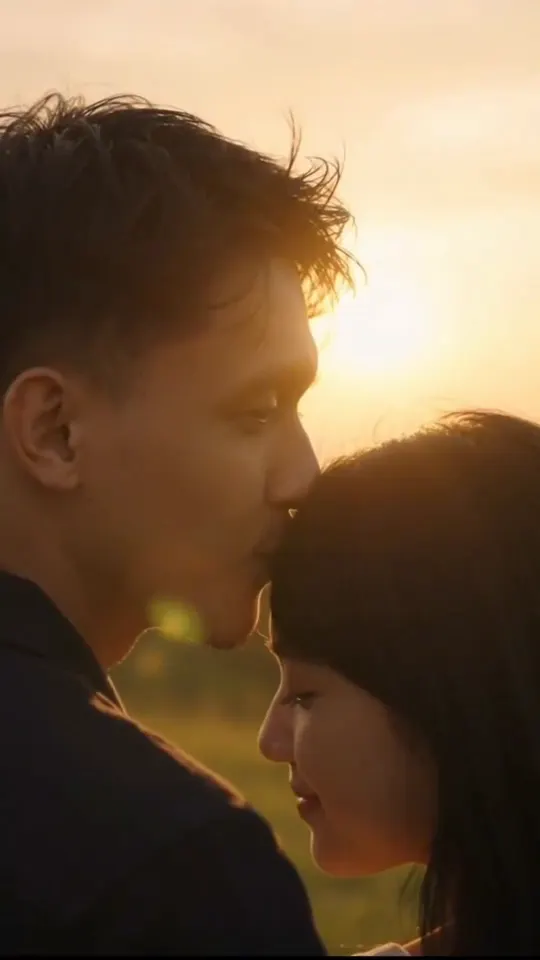
How to Choose an AI Zombie Story Video Over a Comedy or Rap Meme
Published October 17, 2026
An AI zombie story video is the short love-story clip, not a jump-scare filter: a survivor raises a weapon, recognizes who is coming, lowers it, and the hug cuts to a sunlit memory. Feeds filled with that template in late September and early October 2026. You should make an AI zombie story video when that emotional beat is the post. You should pick another photo meme when you want a joke, a dance, or two people rapping.
This page helps you choose. The step-by-step on photos, one versus two, and posting stays on this site. The generator itself is the homepage tool.
When an AI zombie story video is the right clip
Choose an AI zombie story video if the caption you already have in mind is about loyalty: a partner, a parent, a best friend, or a dog that still runs to you. The template is fixed. Photo 1 is the person or pet who turns. Photo 2 is optional; skip it and the camera becomes your eyes. Every finished file on this site is 15 seconds, vertical 9:16 at 768p, with a built-in piano track. One render is 60 credits. Signup credits are 8, which do not cover a clip. If our side fails, the credits return to your balance.
Do not pick this template if you want to skip the firearm, write your own plot, or export a longer edit. Those beats do not move.
When a comedy sneak or a rap booth fits better
Not every photo belongs in the outbreak hallway. If the joke is “I am tiptoeing out of a room I should not leave,” you want a barn sneak, not a farewell hug. RumpelstiltskinAI is built around that clip: one clear photo of a person, a pet, or a cartoon character, dressed in a velvet tailcoat, creeping across golden hay. That site is a separate generator. It is the right next tab when your caption is a sneak, not a vow.
If the post is two people trading bars at one hanging microphone in an orange studio, that is a rap booth, not an outbreak story. RumpelstiltskinAI’s Hotel Lobby AI Video takes one selfie per person and builds that orange room. Use it when you have two faces and want a track with voices already in the file.
If you already know you want the couple hug and the golden flashback, and you are browsing that site’s other templates, their couple hug clip is the version they keep for that beat. On this site the same story is the homepage tool: one or two photos, who turns, then generate.
How to generate yours here
- Open the homepage tool.
- Upload a clear, front-facing photo into Photo 1. Add Photo 2 only if you want your face in the hug.
- Pick who turns: partner, family, friend, or pet.
- Keep the tab open while it renders, then download the MP4.
You do not write a prompt. You do not open an editor. Ask the people in the photos before you upload them.
Photos that work
Use soft daylight, one face per photo, no sunglasses. Blurry, dark, or side-angle shots are the usual reason the result does not look like you. Group shots fail because the model needs a single subject in each box. Pets work when the ears, eyes, and muzzle are visible and the animal is facing the camera.
After you download, post the file as it is or swap the sound inside TikTok or Instagram. Captions such as “In every lifetime, I would still look for you” match an AI zombie story video. A midnight-snack joke does not; that caption belongs on a barn sneak instead.