AI Zombie Video Ideas: Who to Cast, What to Caption, What to Post Next
Published October 17, 2026
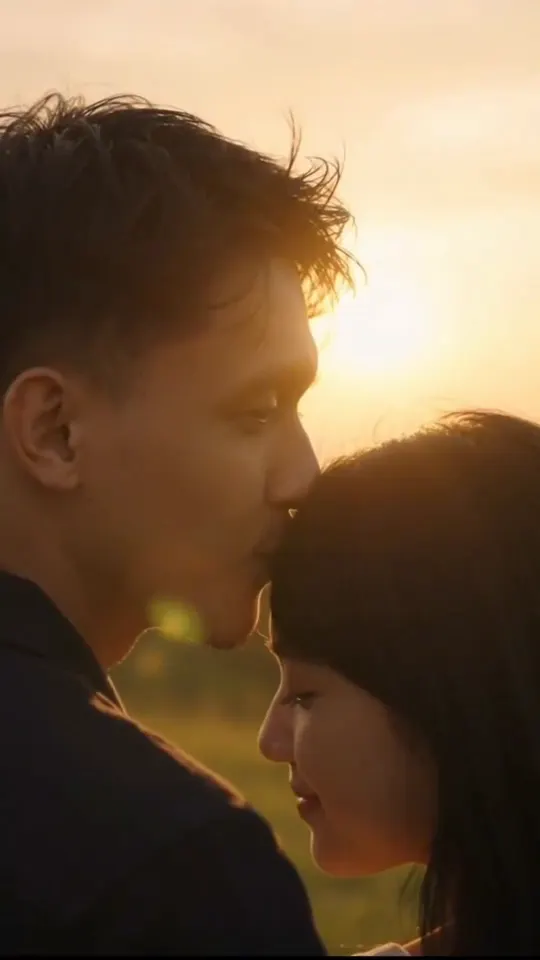
Most AI zombie video ideas come down to one choice: who does the viewer recognize in the hallway? The story is fixed. A survivor raises a weapon, sees a face they love, lowers it, and the hug cuts to a sunlit memory. What changes the result is who you cast, the line you write under it, and what you post next. This page collects AI zombie video ideas that work, with the step-by-step on photos and posting kept on its own page and the generator on the homepage tool.
AI zombie video ideas by who turns
Your partner. The classic. Put your partner in Photo 1 and yourself in Photo 2. Anniversary posts and long-distance couples get the most out of it, because the hug is the payoff they already want to say out loud.
A parent or grandparent. Use one photo and leave Photo 2 empty. The first-person view makes the viewer stand where you stand, which lands harder for family than a two-shot.
Your best friend. Two photos, and let the friend turn. Tag them in the caption. This is the version people forward to group chats.
Your dog or cat. Choose the pet option. A pet reunion needs no explanation, so it travels well with the sound off.
Whichever of these AI zombie video ideas you choose, use a clear, front-facing photo in daylight with one face per photo. Blurry or side-angle shots are the main reason the face does not match.
Caption ideas that fit the hug
The clip already says “I still know you.” The caption only has to say where or when. A few that fit:
- “In every lifetime, I would still look for you.”
- “Ten years, and I would still lower it.”
- “Even like this, you are still my person.”
- For pets: “He always came back. So did I.”
Skip jokes in the caption. The music is soft piano, and a punchline under it reads as mocking the person in the photo.
AI zombie video ideas for a series
One emotional clip can carry a short series if you change who turns each time: your partner on Monday, your dog on Wednesday, your mum on Friday. Keep the same caption pattern so followers recognize it. Each render is 60 credits for 15 seconds, so plan the series before you buy credits.
What to post after your AI zombie video
A feed of three reunions in a row feels heavy. After the hug, switch to something light that uses the same photos.
RumpelstiltskinAI is a separate photo-to-video site that runs several upbeat meme templates next to its barn sneak clip. If you want your partner and you moving instead of crying, RumpelstiltskinAI’s AI Photo Dance Video maker turns one selfie into a pop, hip-hop or disco routine. If you would rather sing than dance, their sunny sidewalk singing clip films you singing to a phone camera in the sun from one or two photos.
The point is contrast. A reunion followed by a dance makes both posts feel lighter than either one alone, and the same photos already work on both sites.
Common mistakes
- Cropping the face too tight. Leave some forehead and chin in the frame.
- Using a group photo. Each box needs exactly one face.
- Expecting a longer edit. Every clip on this site is 15 seconds; join two clips in your editor if you want more.
- Uploading someone without asking. Ask the person in the photo first, and switch on the AI-generated label when you post.